Work loses its structure
Projects, tasks, decisions, and files become harder to follow when they live in separate tools and conversations.
BrainPost brings Workspaces, Projects, Tasks, Notes, files, approvals, secure Vault records, notifications, habits, and progress into one place while keeping access inside the right boundaries.
BrainPost keeps delivery work, durable knowledge, secure records, and visible progress inside the Workspace and Project boundaries where they belong.
Projects, tasks, decisions, and files become harder to follow when they live in separate tools and conversations.
Important decisions, research, and handoffs disappear inside comments or private notes instead of becoming reusable project knowledge.
Teams need Workspace and Project access that keeps private information scoped while showing each person the work they are responsible for.
Start from the Home Dashboard, enter the right Workspace and Project, then move between execution, knowledge, reviews, and progress without losing context.
See priorities, due work, notifications, and progress.
Enter the client, team, or organization boundary.
Open the delivery area and its team context.
Plan work, track status, and review governed changes.
Preserve decisions, handoffs, links, and attachments.
Follow reports, issues, habits, missions, and XP.
BrainPost connects daily execution, durable knowledge, secure information, reviews, and progress instead of treating them as unrelated tools.
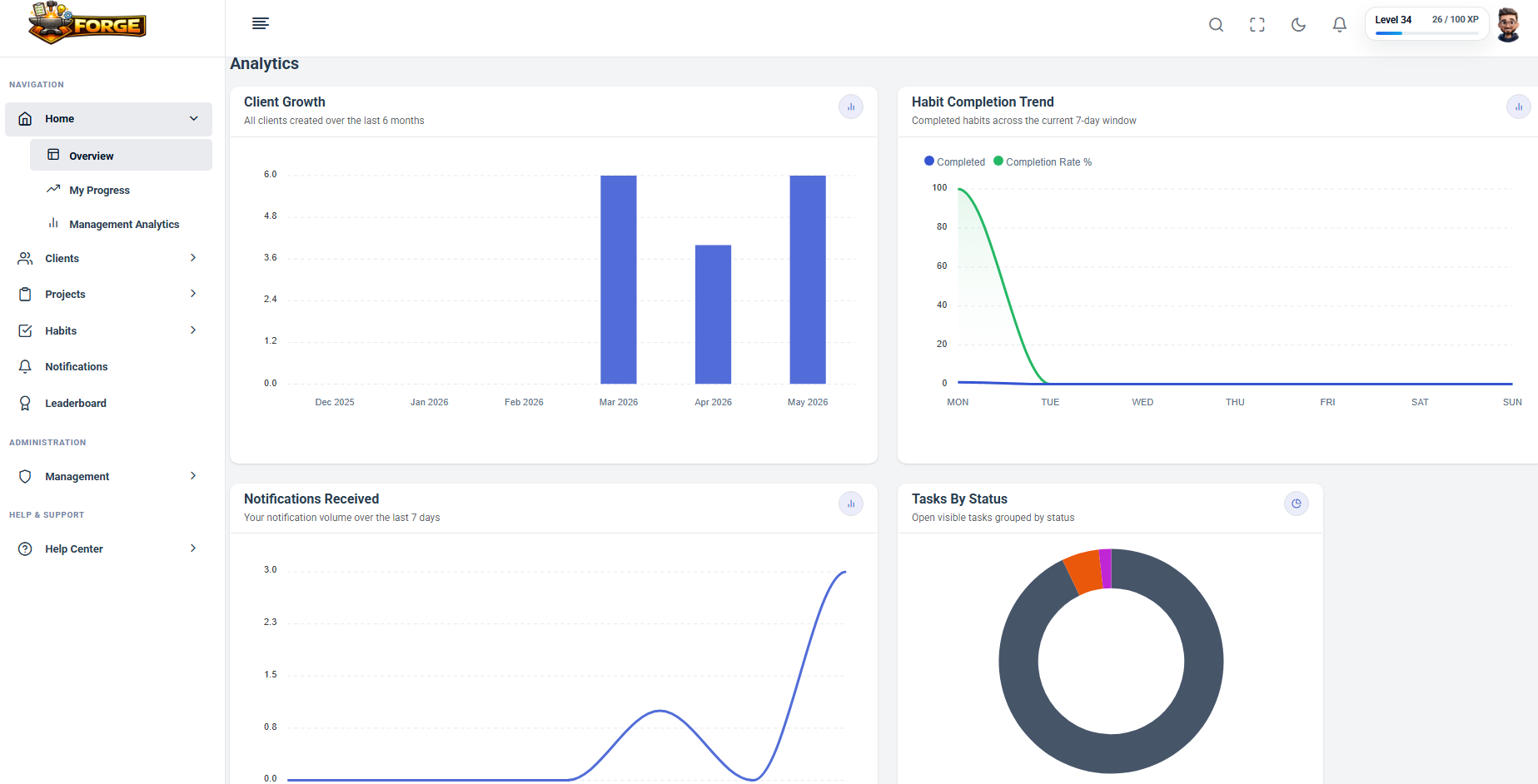
Start with visible priorities, active and overdue work, notifications, recent activity, focus items, habits, and personal progress.
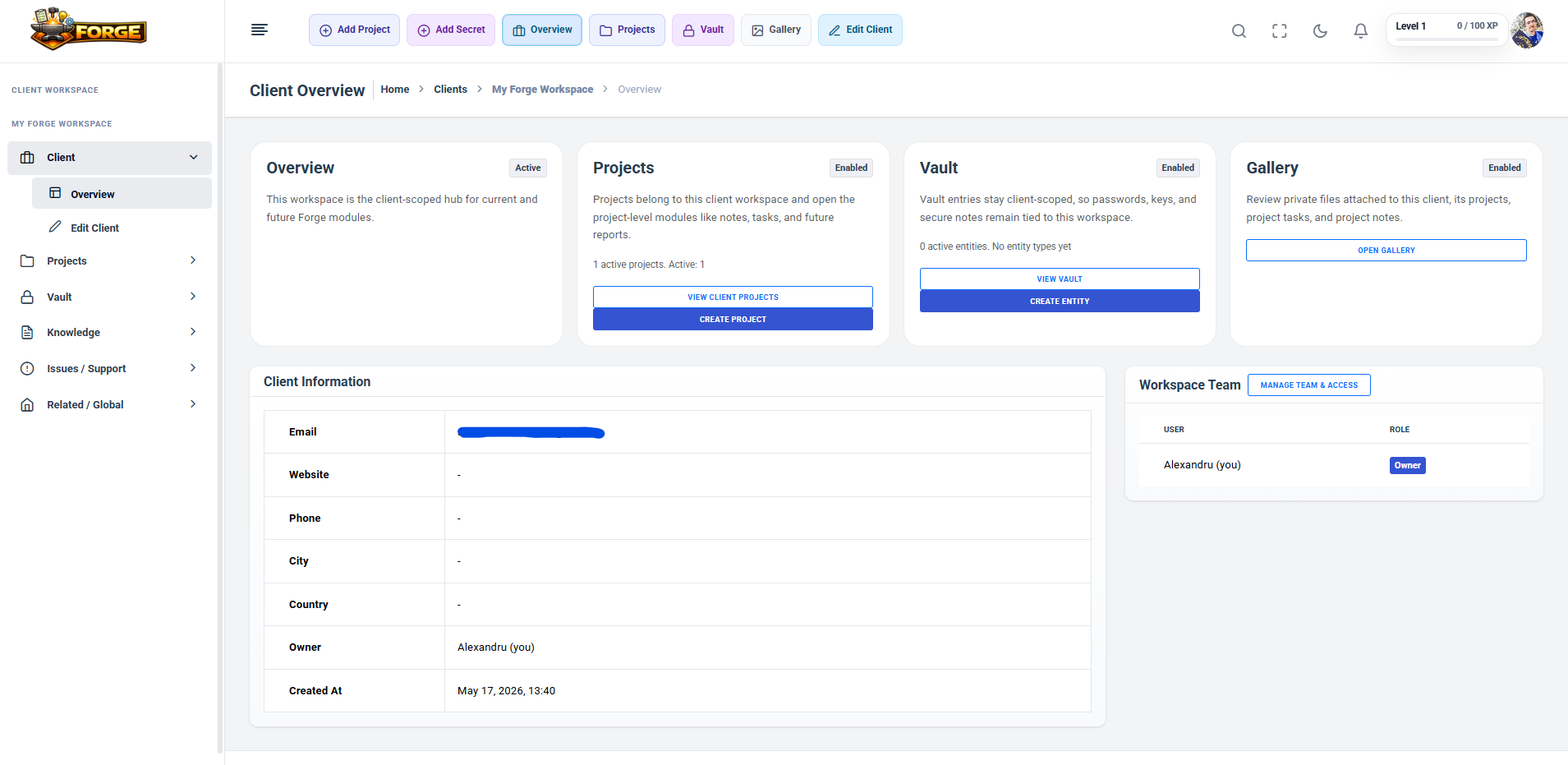
Use a Workspace as the private boundary for a client, team, or organization, with its Projects, Notes, Whiteboards, Gallery, Vault, and access controls together.
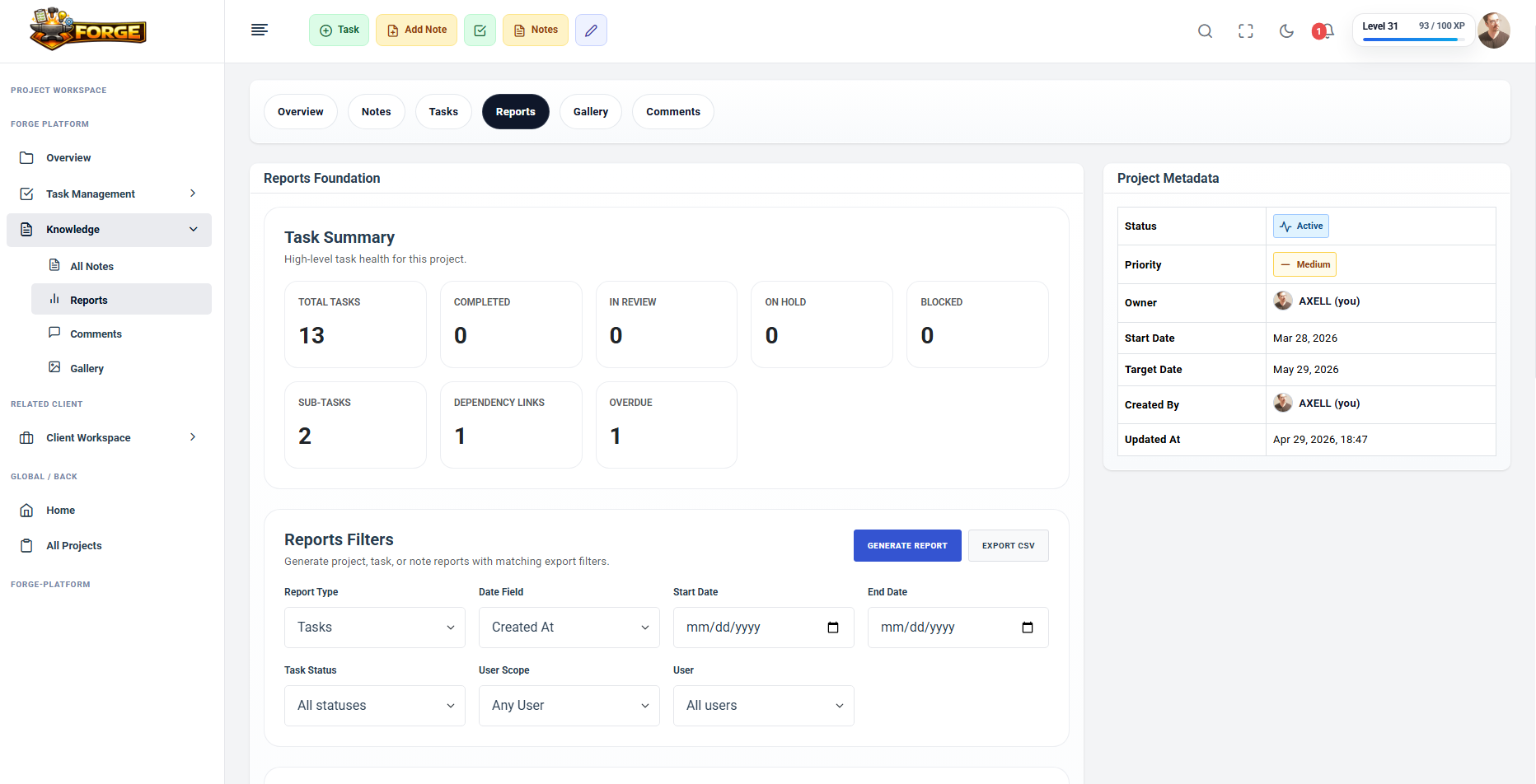
Keep delivery context in one Project area with overview, Tasks, Notes, reports, comments, Gallery, attachments, and Project Team Access.
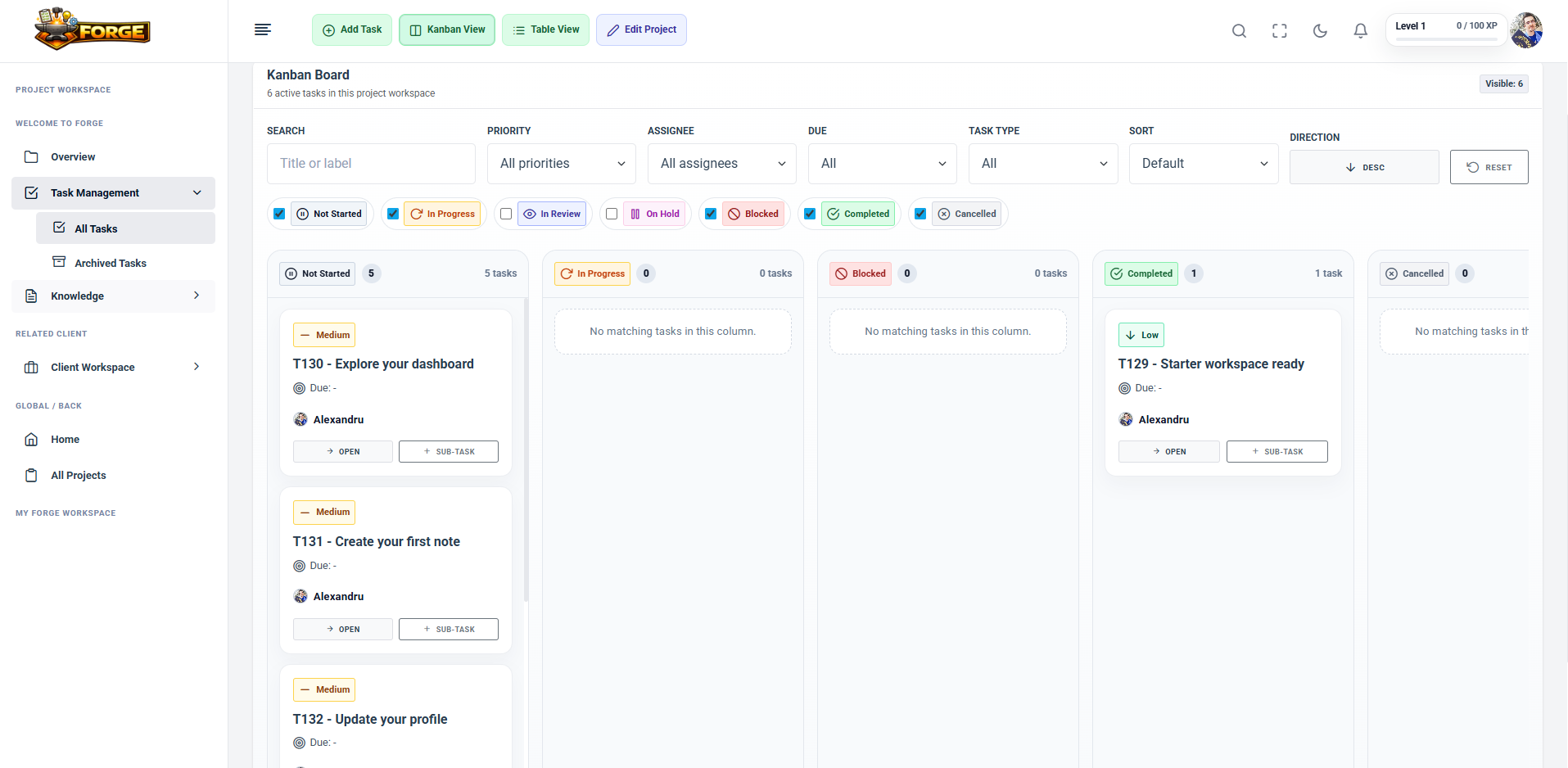
Plan work in Kanban or table views with owners, priorities, dates, dependencies, subtasks, comments, attachments, linked Notes, and approval-governed due-date changes.
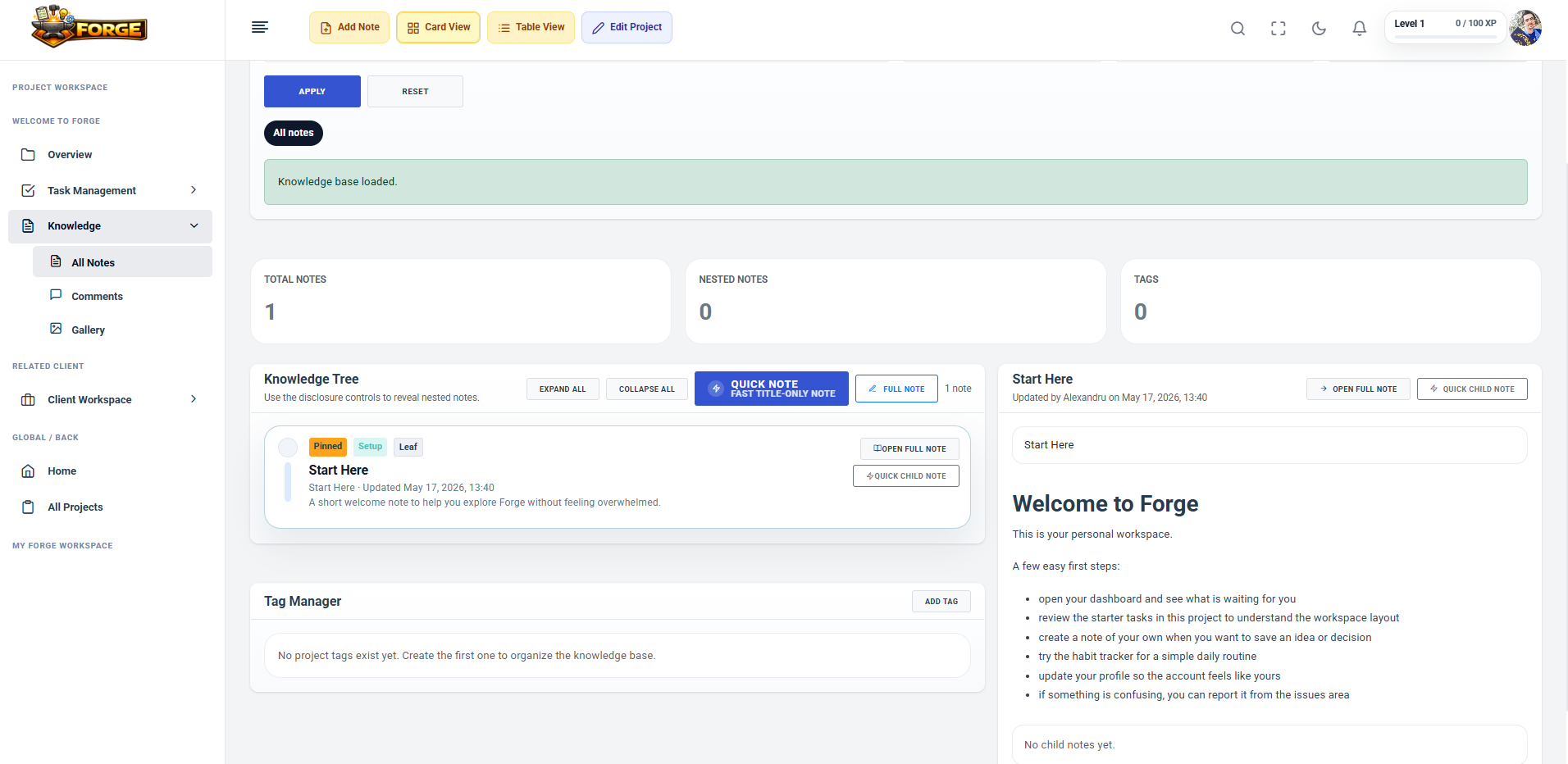
Build durable Workspace and Project knowledge with hierarchies, tags, linked Tasks, attachments, and Draft, Active, Outdated, and archived lifecycles.
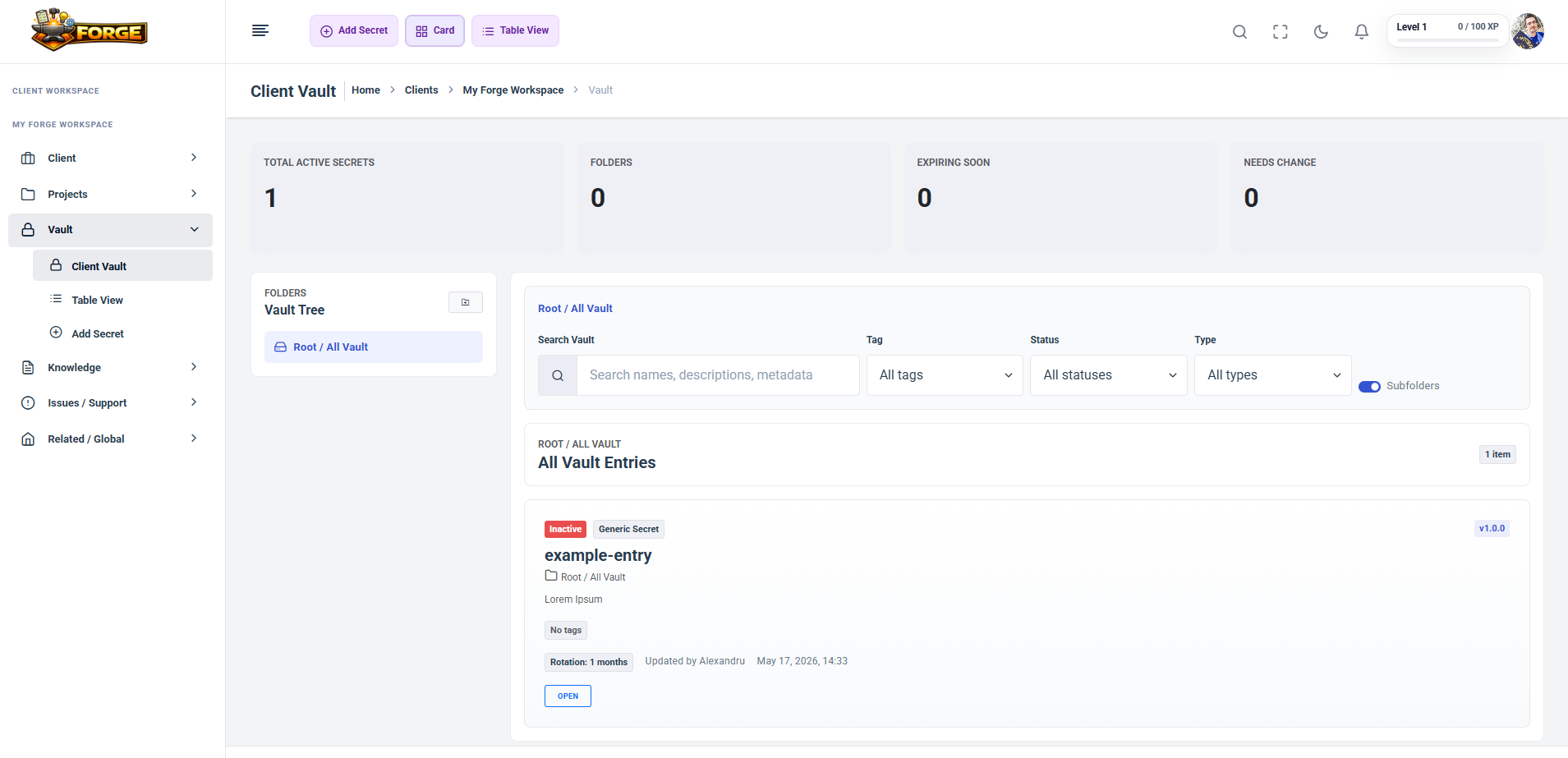
Keep sensitive Workspace records separate from normal Notes and files, protected by scoped permissions and encrypted storage flows.
Review Project health and delivery status while habits, missions, XP, levels, badges, mastery, and leaderboards make useful momentum visible.
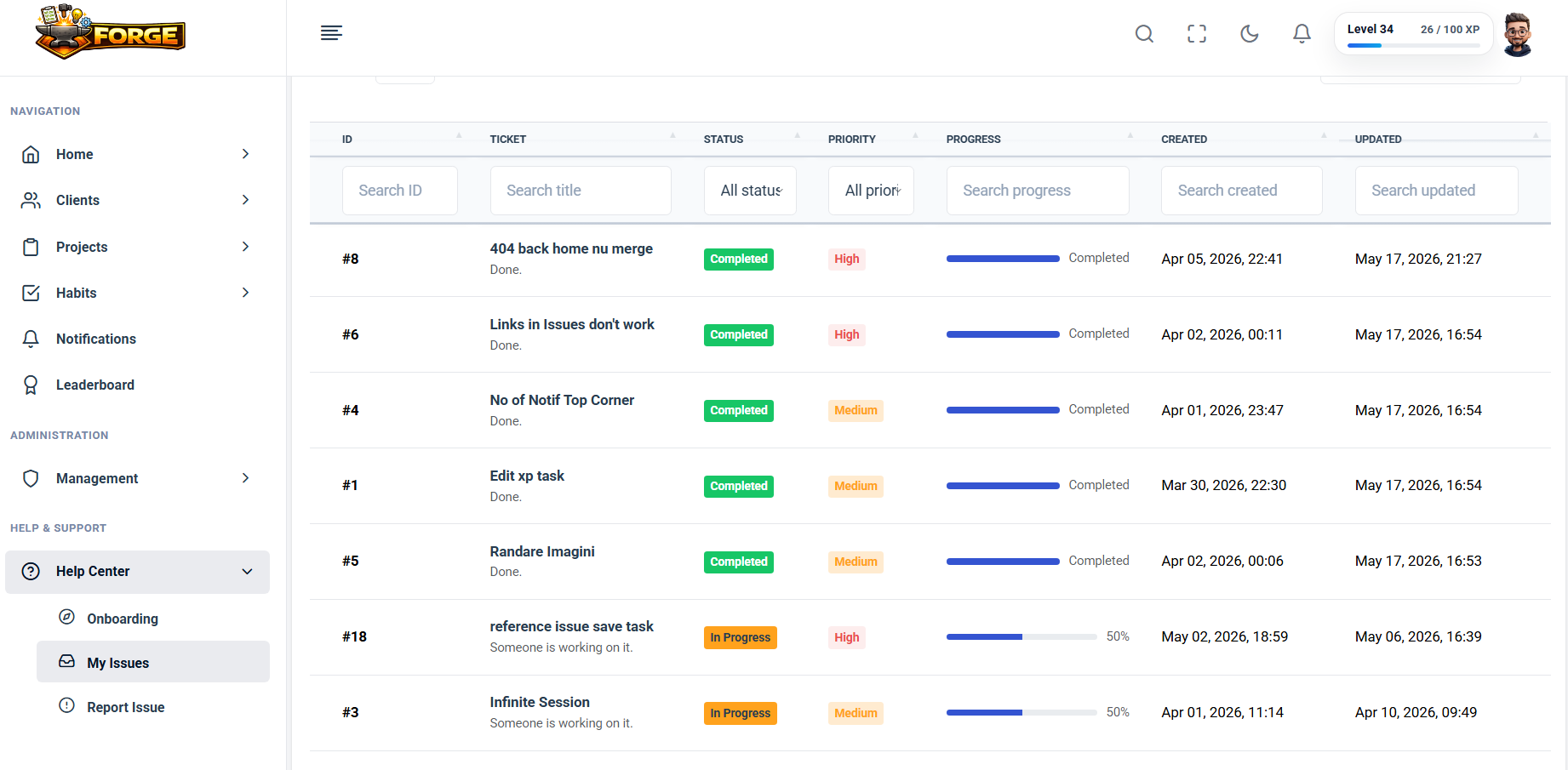
Stay aware of assigned work and approvals, report platform issues, and follow BrainPost improvements through the public changelog.
Email verification protects the account first; then BrainPost takes you into the Dashboard, an authorized Workspace, and the Project context where work happens.
Create your free early access account.
Verify your email before signing in.
Review your Home Dashboard and current notifications.
Open or create a Workspace you are authorized to use.
Open a Project and begin with Tasks, Notes, files, reports, and progress.
Run multiple initiatives while keeping tasks, decisions, files, and progress connected.
Coordinate Project work inside clear Workspace and Project access boundaries.
See delivery health, approvals, reports, notifications, and ownership without chasing updates.
Keep execution, knowledge, secure records, issues, Documentation, and administration in one platform.
BrainPost can be installed as a PWA/mobile web app on supported browsers for a more focused app-like experience.
Habits, missions, XP, levels, badges, mastery, and leaderboards make consistent contribution and momentum easier to see.
Create an account, verify your email, and begin inside a permission-aware Workspace and Project structure built for real delivery work.